Introduction
clauderon is a session management system for AI coding agents. It enables Claude Code and other AI tools to run in isolated environments with secure credential handling.
The Problem
When running AI coding agents, you face a security dilemma:
- Full access: Give the agent your API keys and credentials, risking exposure
- Manual intervention: Approve every API call, breaking the autonomous workflow
The Solution
clauderon solves this with a zero-credential proxy architecture:
- AI agents run with placeholder credentials (e.g.,
ANTHROPIC_API_KEY=placeholder) - clauderon’s HTTP proxy intercepts outgoing requests
- Real credentials are injected at request time
- Agents never see your actual tokens
Key Features
Multiple Backends
Choose the isolation level that fits your needs:
- Zellij: Lightweight terminal sessions with host tool access
- Docker: Full container isolation with mounted volumes
- Kubernetes: Cloud-native pod-based sessions
- Sprites: Managed cloud containers via sprites.dev
- Apple Container: Native macOS containerization (macOS 26+)
See Backends for detailed comparison.
Multiple AI Agents
Run different AI models through the same management interface:
- Claude Code: Anthropic’s coding agent (default)
- Codex: OpenAI’s code-focused model
- Gemini: Google’s model with 1M token context
See Agents for setup and comparison.
Credential Proxy
Secure credential injection with fine-grained control:
- TLS interception with auto-generated certificates
- Token injection for GitHub, Anthropic, OpenAI, and more
- Access modes: Read-only or read-write per session
- Audit logging of all proxied requests
- 1Password integration for secure credential storage
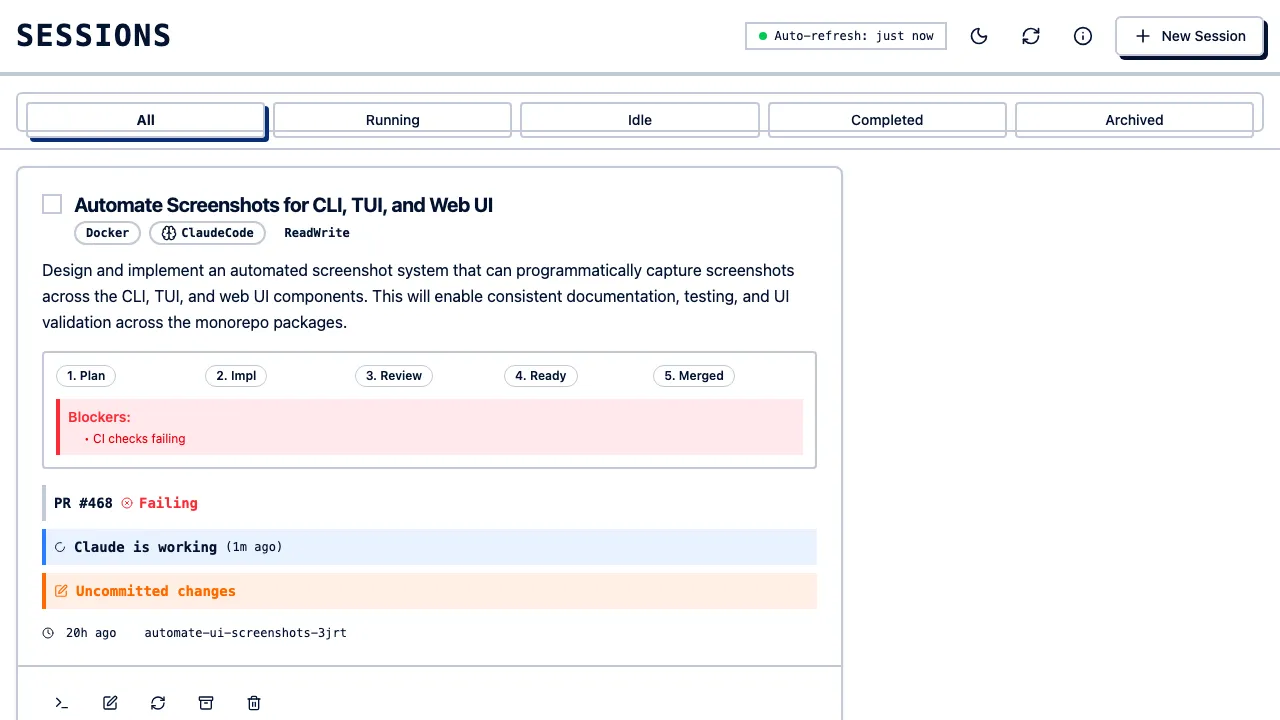
Web Interface
Browser-based session management at http://localhost:3030:
- Create sessions with visual configuration
- View chat history and session progress
- Real-time WebSocket updates
- Session monitoring and control
Mobile Apps
Manage sessions on the go:
- iOS and Android native apps
- Session creation and management
- Real-time chat interface
- Push notifications for session events
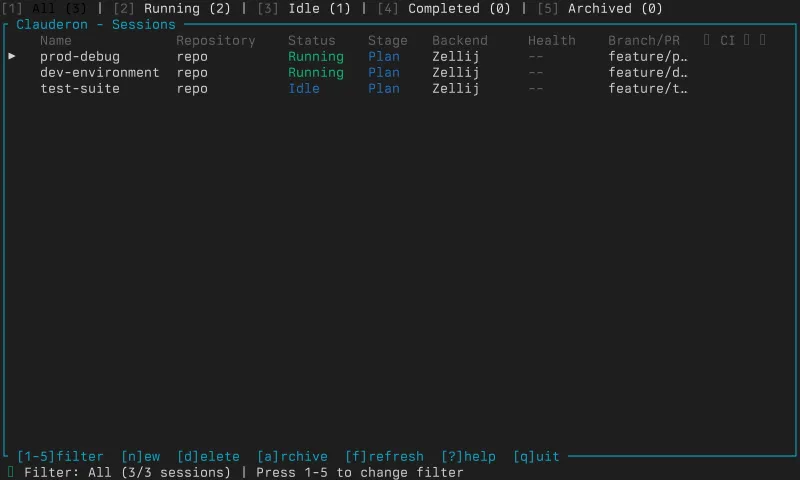
Terminal UI
Full-featured TUI built with Ratatui:
- Create and manage sessions interactively
- Real-time session status monitoring
- Vim-style keyboard navigation
Persistence
Robust session management:
- SQLite-based session storage
- Resume sessions across restarts
- Archive completed sessions
- Event hooks for external integrations
Architecture Overview
┌─────────────────────────────────────────────────────────────────┐│ clauderon daemon │├─────────────────────────────────────────────────────────────────┤│ ││ ┌──────────────┐ ┌──────────────┐ ┌──────────────────────┐ ││ │ HTTP API │ │ Proxy │ │ Session Manager │ ││ │ :3030 │ │ Listener │ │ │ ││ └──────────────┘ └──────────────┘ └──────────────────────┘ ││ │└─────────────────────────────────────────────────────────────────┘ │ │ │ ▼ ▼ ▼ ┌─────────┐ ┌─────────────┐ ┌───────────────┐ │ Web UI │ │ Credential │ │ Backends │ │ Mobile │ │ Injection │ │ Docker/Zellij │ │ TUI │ │ │ │ K8s/Sprites │ └─────────┘ └─────────────┘ └───────────────┘Quick Example
# Start the daemonclauderon daemon
# Create a sessionclauderon create --repo ~/my-project --prompt "Fix the login bug"
# List sessionsclauderon list
# Attach to the sessionclauderon attach <session-name>Next Steps
Ready to get started? Head to the Installation guide.